Skip to content

Segan Sessions · vertical video studio for Mac

Hit record.
It’s already vertical.

Your camera, your screen with your face in a bubble, and your Android phone, recorded straight into clean 9:16 video that’s ready to edit. Free. On your Mac. Nothing uploaded.

macOS 13.5+ · Apple silicon & Intel · Google Chrome · v1.0.1

Shape
Backdrop

This is the real layout. Pick a shape, a backdrop, or drag the bubble.

Why it exists

The world went vertical.
The tools didn’t.

I make videos about the things I build: my screen, my face, sometimes my phone. Every tool I tried was made for a landscape world, or stopped at a paywall. These are the takes that didn’t make it.

Takes 6 recorded · 1 kept
  1. 01 OBS 1920×1080

    Powerful, but made for advanced users and 16:9 YouTube videos. Going vertical meant rebuilding my whole canvas, or bolting on a plugin.

    Cut
  2. 02 Loom 16:9 · 5 min

    Made for quick 16:9 office videos, with very few settings. I couldn’t find a vertical or aspect-ratio option anywhere, and the free plan stops at 25 videos, five minutes each.

    Cut
  3. 03 Canva 10 min max

    Records you inside its editor, ten minutes at a time. My landscape screen still got squeezed into a vertical page.

    Cut
  4. 04 My Android phone invisible

    The best camera I own, and to my Mac it was invisible. Apple’s ecosystem only talks to iPhones: no Continuity Camera, no preview, nothing I could do with it.

    Cut
  5. 05 Every other recorder app no 9:16

    Complicated to set up, and they live outside Chrome. I kept leaving the browser to start them, then finding out later the take never recorded, or that I forgot to hit record. No vertical either.

    Cut
  6. 06 Segan Sessions 9:16 · 1080×1920

    So I built the studio I wanted. It runs right inside Google Chrome, with no other app to set up: frame it vertical, watch it live, record, then play the take back and save it, all without leaving the tab. And my Android phone plugs straight in. No iPhone needed.

    Keeper

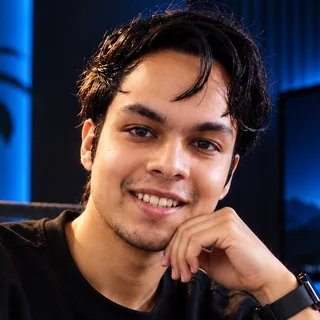
Noah, founder of Studio Segan. I use Segan Sessions every day, for reels and for client calls.

How it works

One record button.
Three ways to shoot.

01Camera

Your Mac’s camera, framed for the feed.

Records your camera at full 1080p, with guides for 9:16, 4:5, 1:1 and 16:9 right on the preview. When you stop, one click crops the take to the shape you framed.

  • 1080p
  • Shape guides
  • One-click crop
  • Any camera your Mac sees

02Screener

Your screen, standing up.

Record your whole screen or one window, with your face in a bubble: a circle or a rounded square, any size, anywhere. Zoom into the part that matters, blur anything private, and float the window over a backdrop.

  • Face bubble
  • Zoom & pan
  • Blur
  • 12 backdrops
  • Pop-out monitor

03Phone

Your Android, live on your Mac.

To a Mac, an Android phone is invisible. Segan Sessions plugs it straight into the recorder, no iPhone needed. Its screen shows up live on your Mac, big enough to check your framing, focus and face while you shoot. Control it with your mouse, record its screen, stream its camera, or pull videos and photos straight off it. USB or Wi-Fi.

  • No iPhone needed
  • Live preview
  • Mouse control
  • USB or Wi-Fi
  • Pull from phone

Mirroring works on any recent Android phone. Streaming the camera needs Android 12 or newer. For the best quality, shoot in your phone’s own camera app and pull the file.

Built for real sessions

For the takes you
can’t do twice.

Teleprompter

Read your script. Look like you didn’t.

A script card floats right under your camera, so your eyes stay near the lens. The space bar scrolls it, and any .md or .txt file works.

Crash-safe

Chrome crashed. The take didn’t.

Every second is written to disk while you record. If Chrome dies mid-take, the recording comes back by itself in about two minutes. We built this after Chrome crashed 52 minutes into one of our client calls.

Calls

Both sides of the call. Or a warning.

Share your screen with system audio and it records you and them. Forget to, and a yellow warning tells you while the call is still going, not after.

The small stuff

Little things that save a take.

  • Mmutes the mic
  • Camera off
  • Pause
  • Countdown
  • Quality presets, 6–14 Mbps
  • Rule-of-thirds grid
  • Layout lock
  • Light & dark
  • Takes list
  • Your own backdrop

12 backgrounds

Drawn in code.
Not downloaded.

Twelve original 4K backdrops, made by Studio Segan. One click each. No stock photos, no watermark. Or drop in your own image.

Segan Dunes backdrop
Segan Dunes
Midnight backdrop
Midnight
Aurora backdrop
Aurora
Violet Mesh backdrop
Violet Mesh
Ember Dunes backdrop
Ember Dunes
Ocean Dunes backdrop
Ocean Dunes
Graphite backdrop
Graphite
Blueprint backdrop
Blueprint
Studio Grey backdrop
Studio Grey
Paper backdrop
Paper
Mint backdrop
Mint
Sunrise backdrop
Sunrise

The deal

Free. Local. Yours.

$0

Free for your own videos, and for paid client work.

0 uploads

It runs on your Mac, at 127.0.0.1. Your footage never leaves it.

0 sign-ups

No account. No trial. No watermark on your video.

No cap

As many takes as you want, as long as you want. Your disk is the limit.

The code is public on GitHub. The one rule: don’t rebrand it or sell it as your own.

Install

One line.
About a minute.

No download, no Homebrew, no admin password. It brings its own tools into its own folder, and checks every download against its official fingerprint before using it.

  1. 1

    Open Terminal

    Press ⌘ Space, type Terminal, press Return.

  2. 2

    Paste this line

    curl -fsSL https://raw.githubusercontent.com/studiosegan/segan-sessions/main/install.sh | bash
  3. 3

    Hit record

    Segan Sessions opens in Chrome. Drag it to your Dock. Chrome asks for your camera, mic and screen the first time: click Allow.

macOS 13.5+ · Apple silicon or Intel · Google Chrome · about 300 MB

Questions

Straight answers.

Is it really free?

Yes. Use it for your own videos or for paid client work, as much as you like. The code is public on GitHub. The one rule: don’t rebrand it or sell it as your own.

Do I need an Android phone?

No. The camera and the Screener work on any Mac. The phone features are for Android phones. If you have an iPhone, Apple’s Continuity Camera already lets your Mac use it as a camera.

Does it edit, add captions or auto-zoom?

No. It records clean MP4 files and stops there. Edit them in CapCut, Premiere, Final Cut, or whatever you already use.

Where do my recordings go?

Into ~/Movies/Segan Sessions on your Mac, sorted into Camera, Screen and Phone folders. A small settings file can send them to an external drive or another folder instead.

What happens if Chrome crashes mid-take?

Your take survives. It is written to disk while you record, and after a crash it comes back in your takes by itself, marked “recovered from crash”, within about two minutes.

Why a Terminal line and not a download?

A double-click Mac download needs Apple’s paid developer certificate. The Terminal line lets us give it to you free, today. It installs only inside your user folder: no admin password, nothing system-wide.

Does it work on Windows?

Not yet. It is Mac-only for now: macOS 13.5 or newer, Apple silicon or Intel, with Google Chrome.

How do I update or uninstall it?

To update, run the install line again. To uninstall, paste the line below into Terminal. Your recordings are never deleted.

curl -fsSL https://raw.githubusercontent.com/studiosegan/segan-sessions/main/uninstall.sh | bash

Stop setting up.
Start recording.

One line in Terminal, about a minute, and your Mac is a vertical studio.

The demo at the top has been rolling since you got here.